Current platform • user-facing overview

Projects

This is the public-facing map of the current ShoddyTechGarage ecosystem: what each app does, what stage it is in, and where to go next.

Start here if you want to compare the active tracks quickly. If you want build-by-build release detail, the technical trail lives in the Dev Hub.

Current app tracks

Each app has a distinct job, maturity level, and next step. The goal is to make the ecosystem easy to scan without flattening everything into one generic “car app” bucket.

ShoddyDrive

A vehicle-focused Android launcher built around readability, live telemetry, large touch targets, and in-car practicality.

Closed testing Beta build Telemetry Head-unit aware
  • Live telemetry and driver-focused layouts.
  • Quick access to route, media, and vehicle context.
  • Built around real Android devices and head units.

ShoddyScan

A diagnostics and tuning companion focused on connection reliability, safer MicroTune handling, and stronger Bluetooth and wired USB live-data workflows.

Closed testing Alpha build Diagnostics GM ECU focus
  • Separate Bluetooth and USB session handling for clearer connection behavior.
  • Transport-aware polling and safer MicroTune write and rollback workflows.
  • Expanded wired USB serial support for live diagnostics and future tuning direction.

ShoddyAudioLab

An install-aware audio tuning environment built for real vehicles, aftermarket hardware, quick adjustments, deep EQ control, and safer tune experimentation.

Closed testing Audio tuning Garage snapshots
  • Install-aware vehicle setup for more relevant starting points.
  • Quick Tune controls for fast daily adjustments and Builder Mode EQ for deeper tuning.
  • Live adaptive sound changes plus Garage-based custom tune and rollback snapshots.

ShoddyMaintenance

A vehicle-aware maintenance environment focused on service history, broad vehicle lookup, build-aware setup, and ownership records that stay useful as the build evolves.

Closed testing Initial release build Maintenance Vehicle history
  • 1990-current vehicle lookup with year, make, model, trim, and engine suggestions.
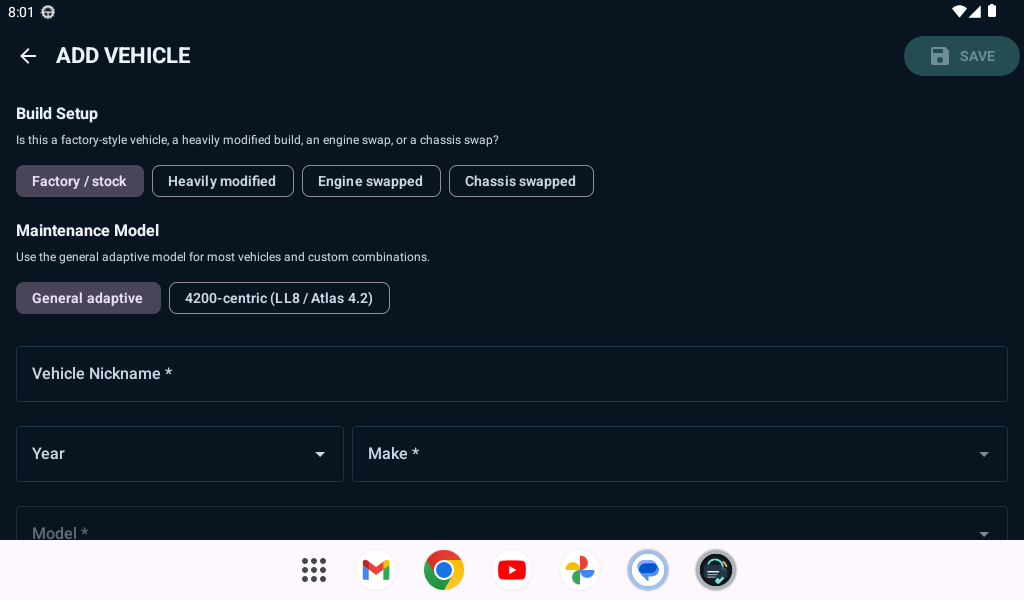
  • Build Setup flows for stock, heavily modified, engine-swapped, and chassis-swapped vehicles.
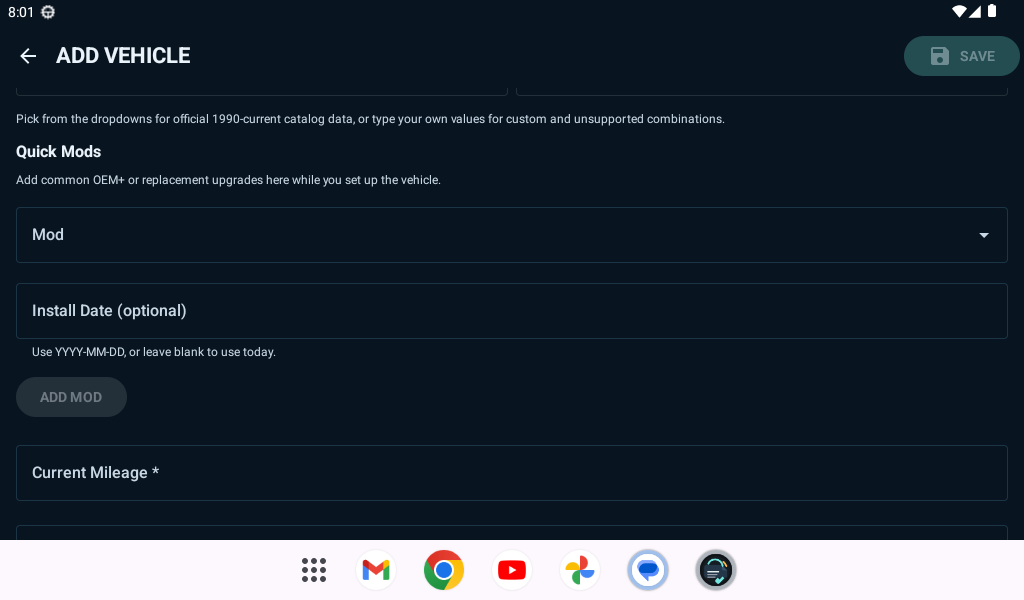
  • Quick Mods, optional install dates, and theme customization with palette and custom color controls.
Beyond the current apps

The longer-term direction still reaches beyond the four current app tracks into custom OBD hardware, sensor networks, shared data, and a broader vehicle software stack that can grow with the build.

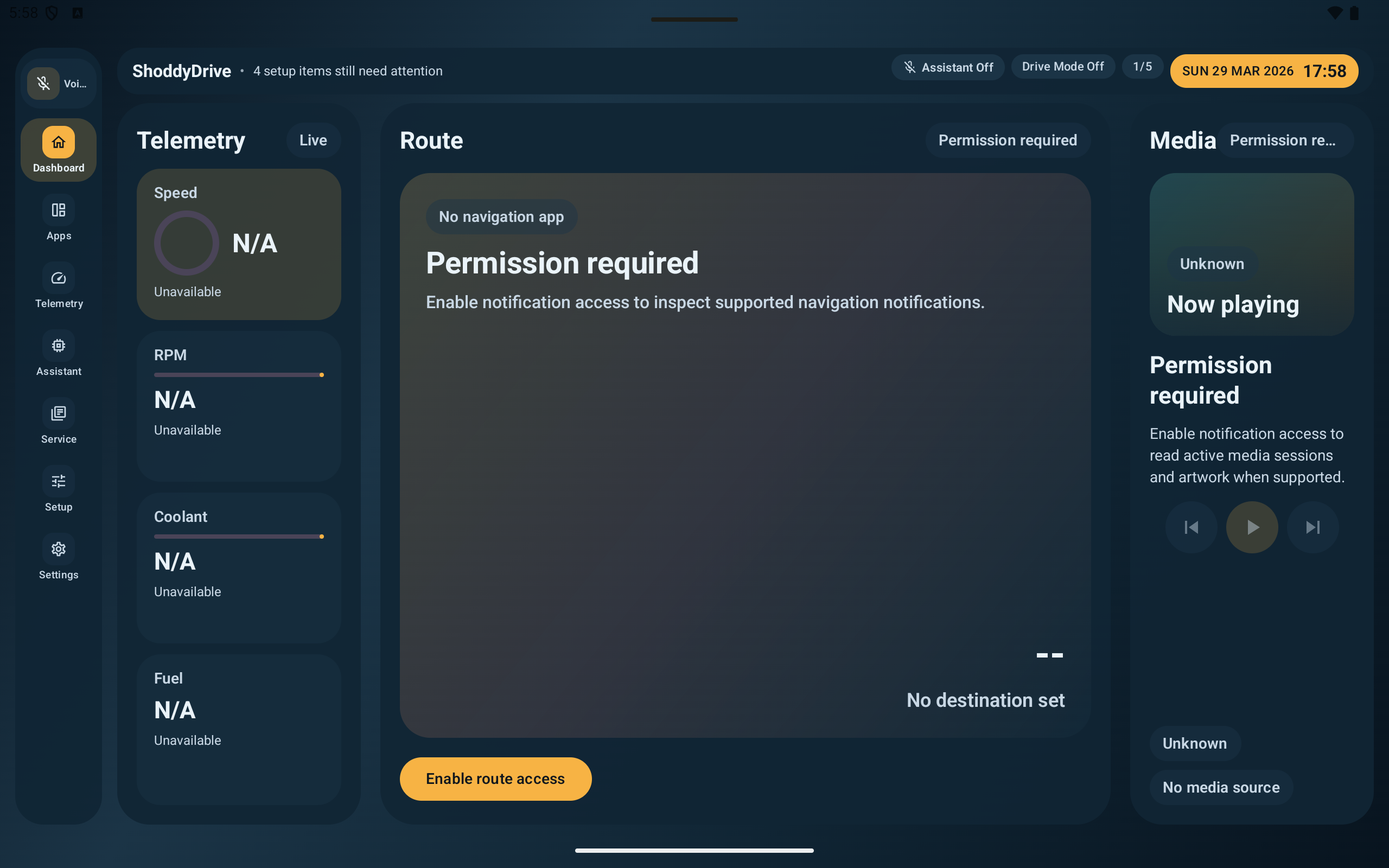
ShoddyDrive dashboard screenshot

Live telemetry, route panel, and media cards tuned for quick in-vehicle visibility.

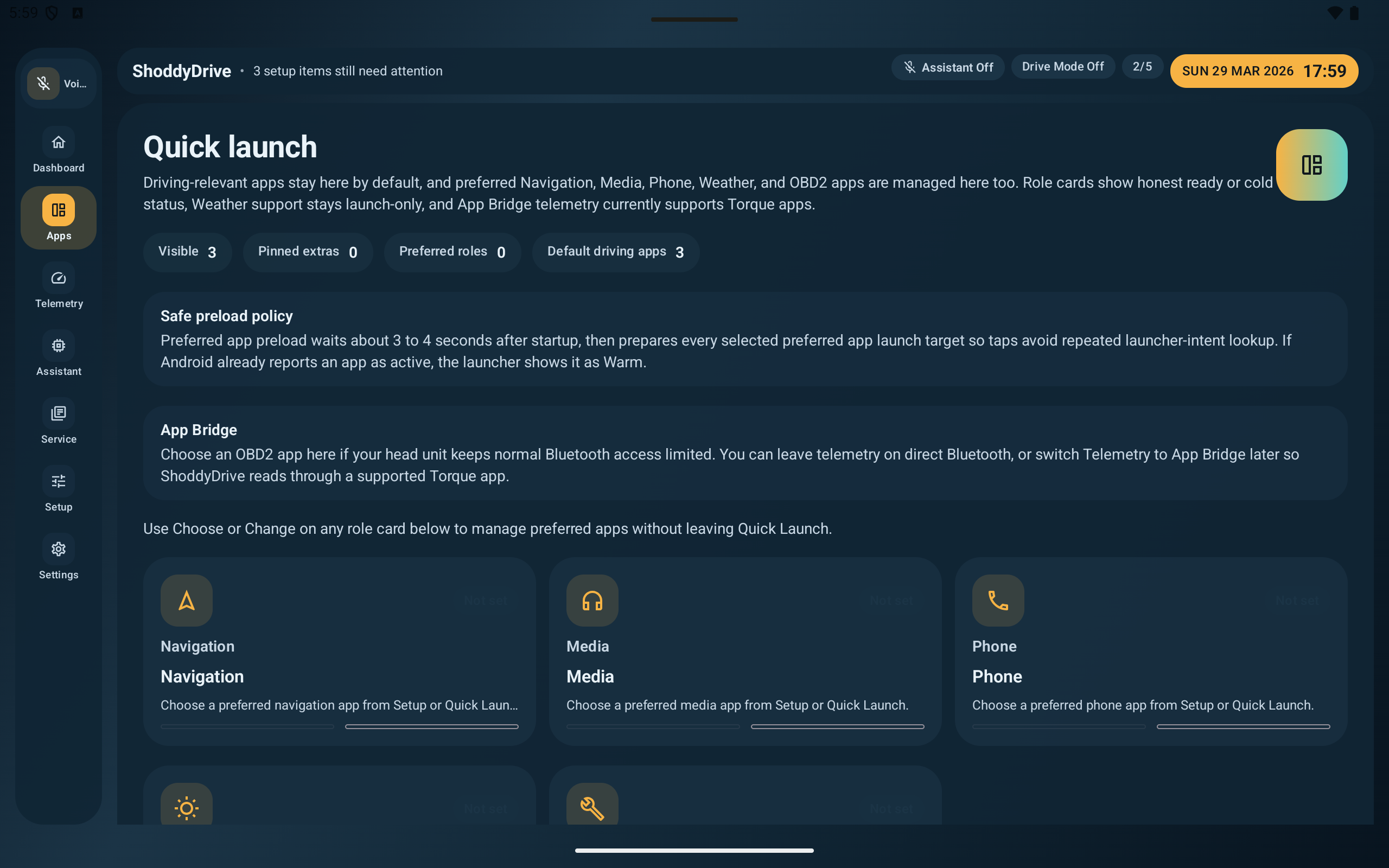
ShoddyDrive quick launch screenshot

Role-based launch controls built around daily drivers, tablets, and head units.

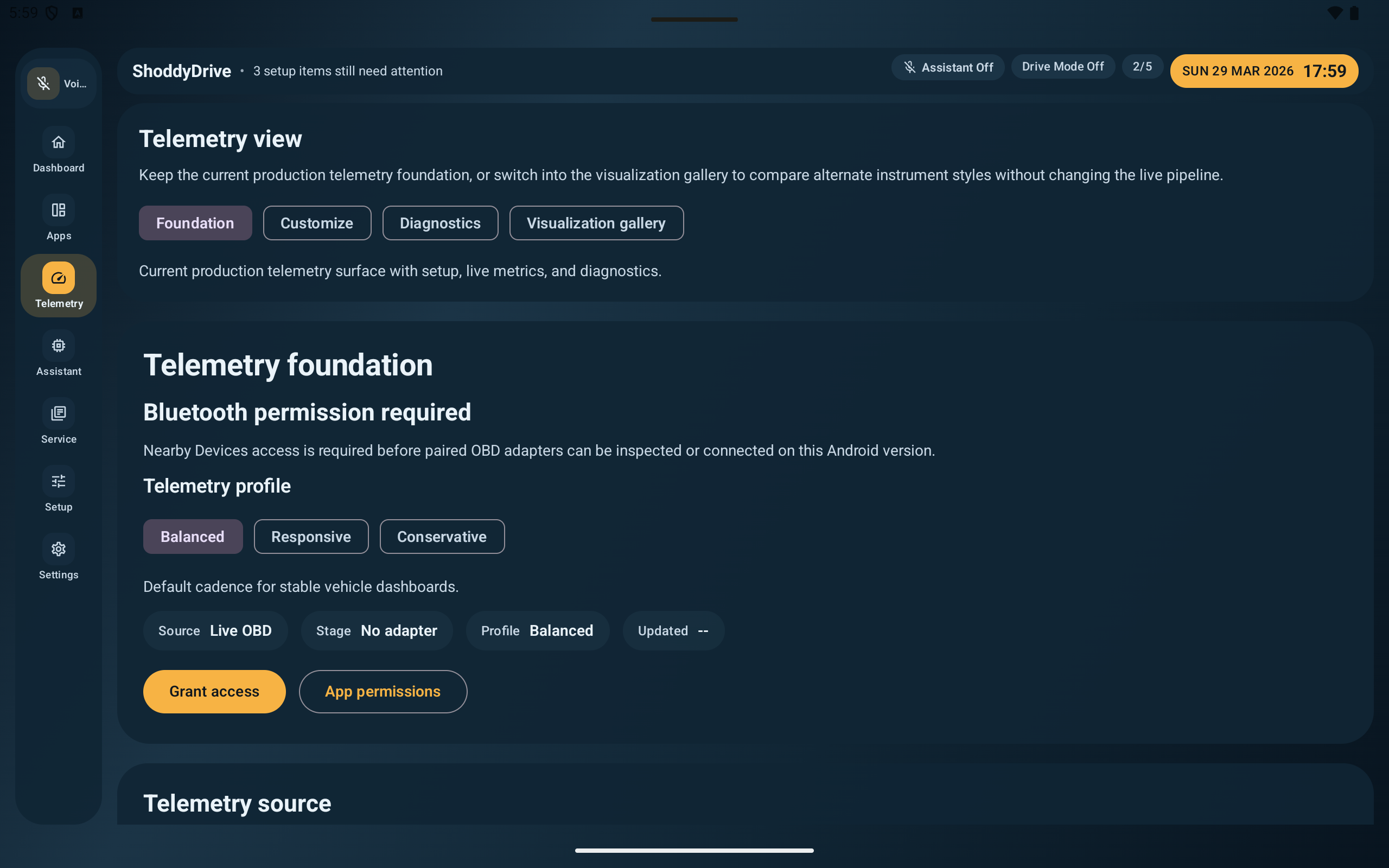
ShoddyDrive telemetry view screenshot

Telemetry controls, permissions, and source tuning laid out for different adapter situations.

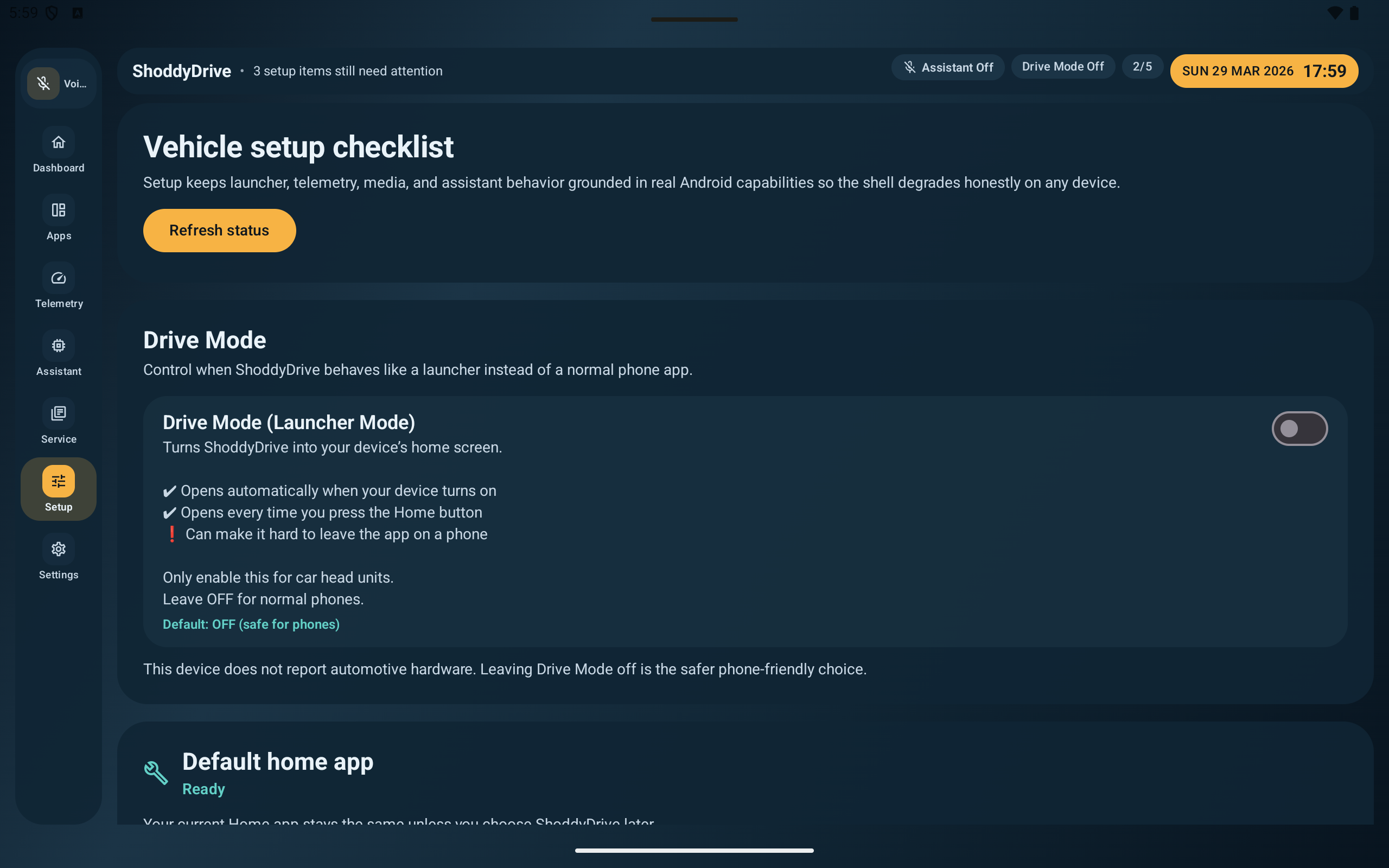
ShoddyDrive setup checklist screenshot

Vehicle setup checklist that keeps launcher, telemetry, media, and assistant behavior grounded in real device capabilities.

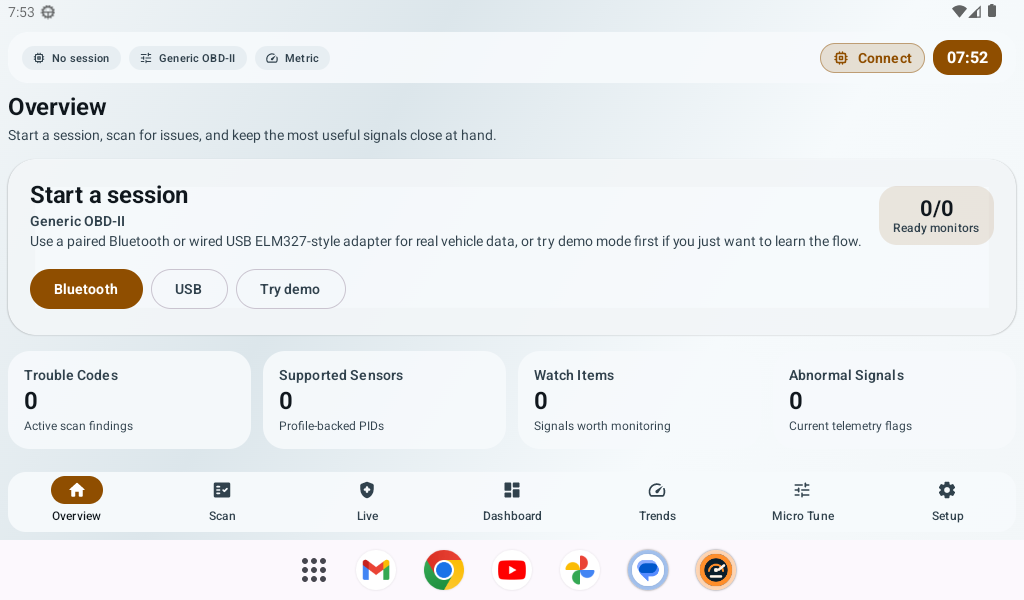
ShoddyScan overview screenshot

Overview screen with live session entry points, monitor status, and the most useful scan signals up front.

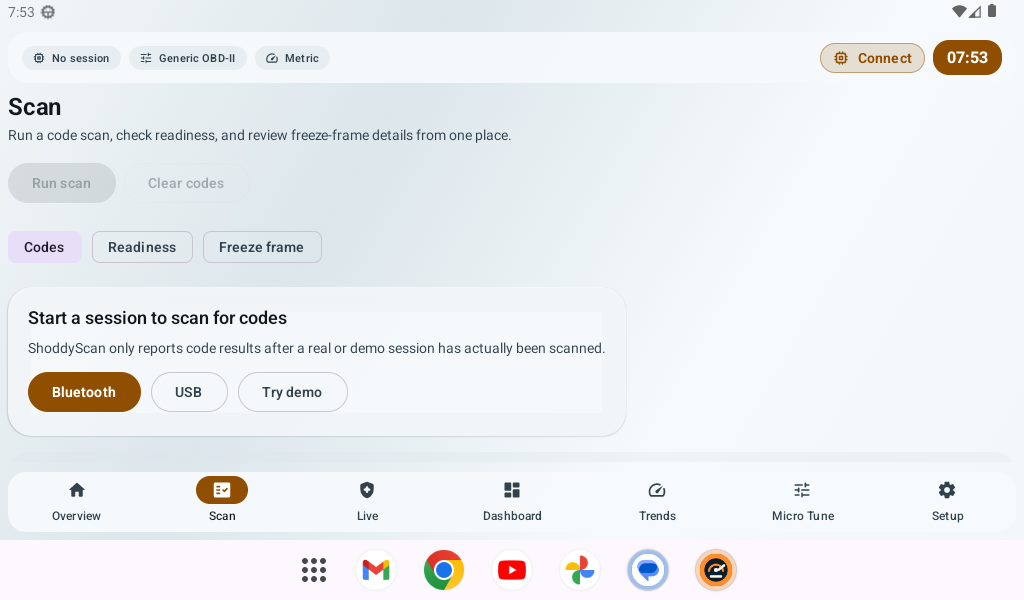
ShoddyScan summary screenshot

Summary card that turns live scan results into a readable “what to watch” view instead of dumping raw codes and leaving the user there.

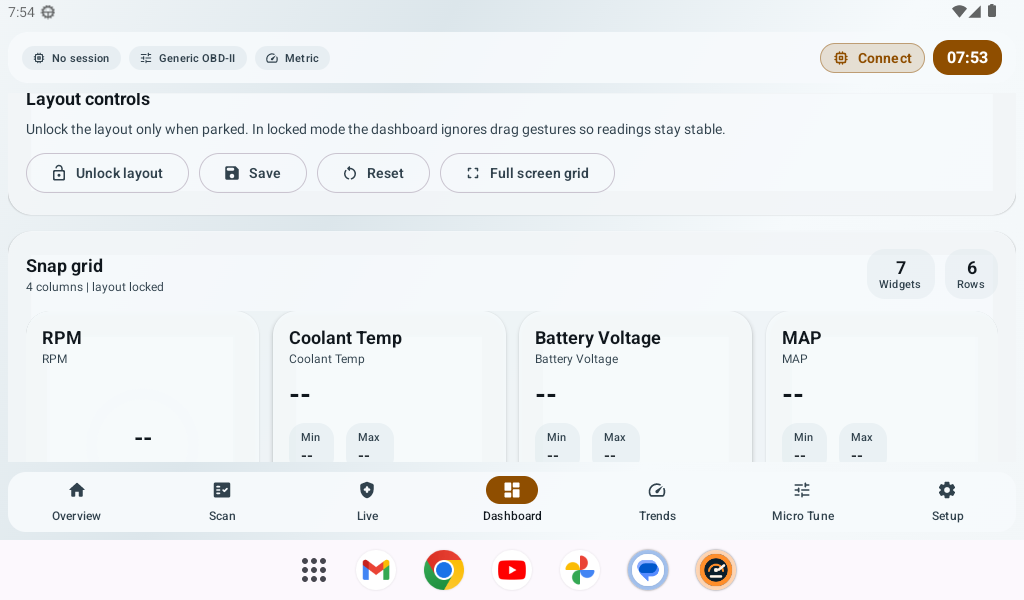
ShoddyScan dashboard layout screenshot

Snap-grid dashboard controls with locked layout handling so the live data view stays readable while driving.

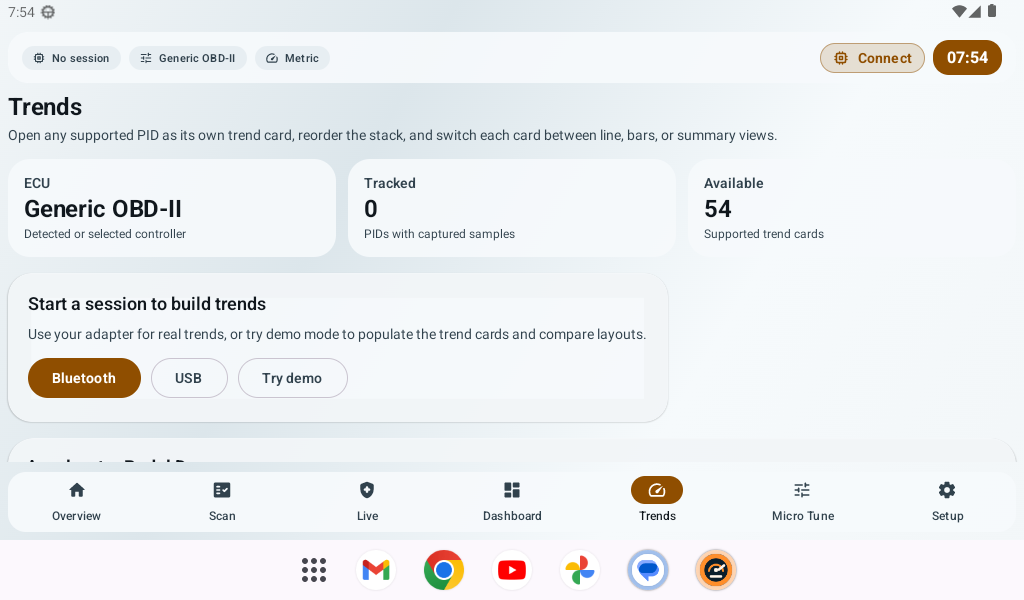
ShoddyScan trends screenshot

Trend cards for supported PIDs with separate session choices for real capture or demo-driven layout testing.

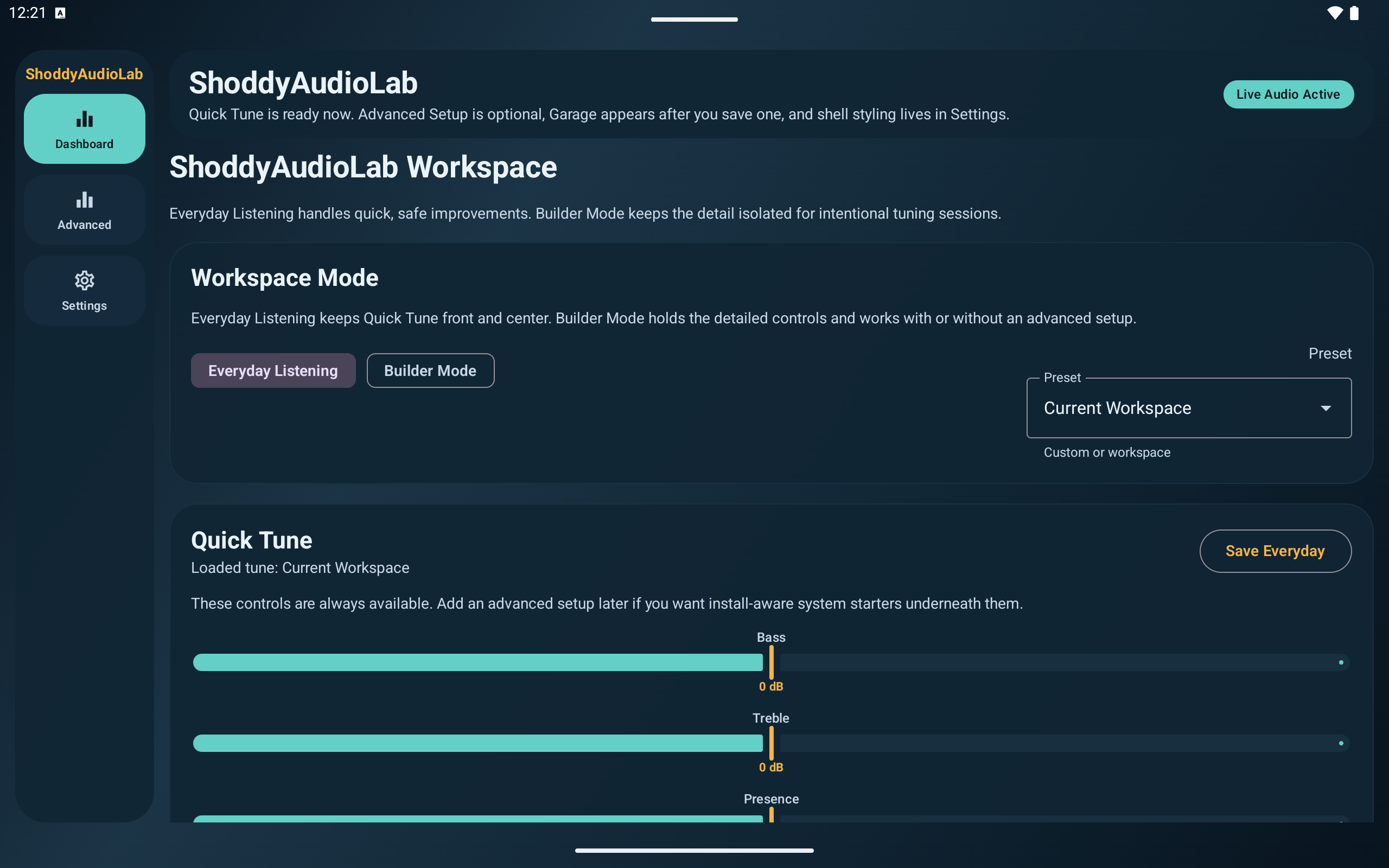
ShoddyAudioLab dashboard screenshot

Dashboard view with workspace mode, preset selection, and Everyday Listening controls visible in one install-aware shell.

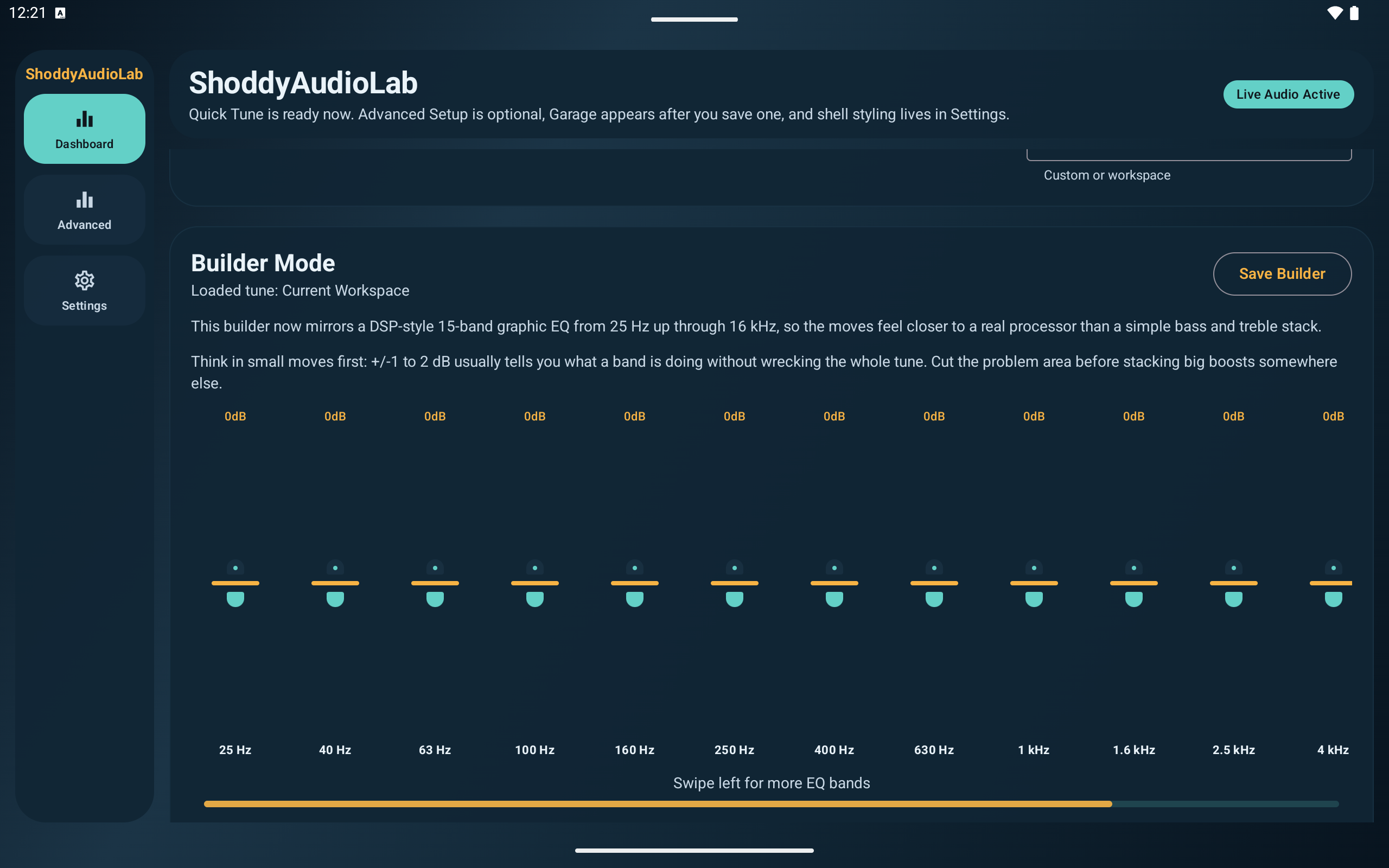
ShoddyAudioLab Builder Mode screenshot

Builder Mode brings the deeper DSP-style EQ layout forward, including the horizontal scroll cue for discovering more bands on tablets.

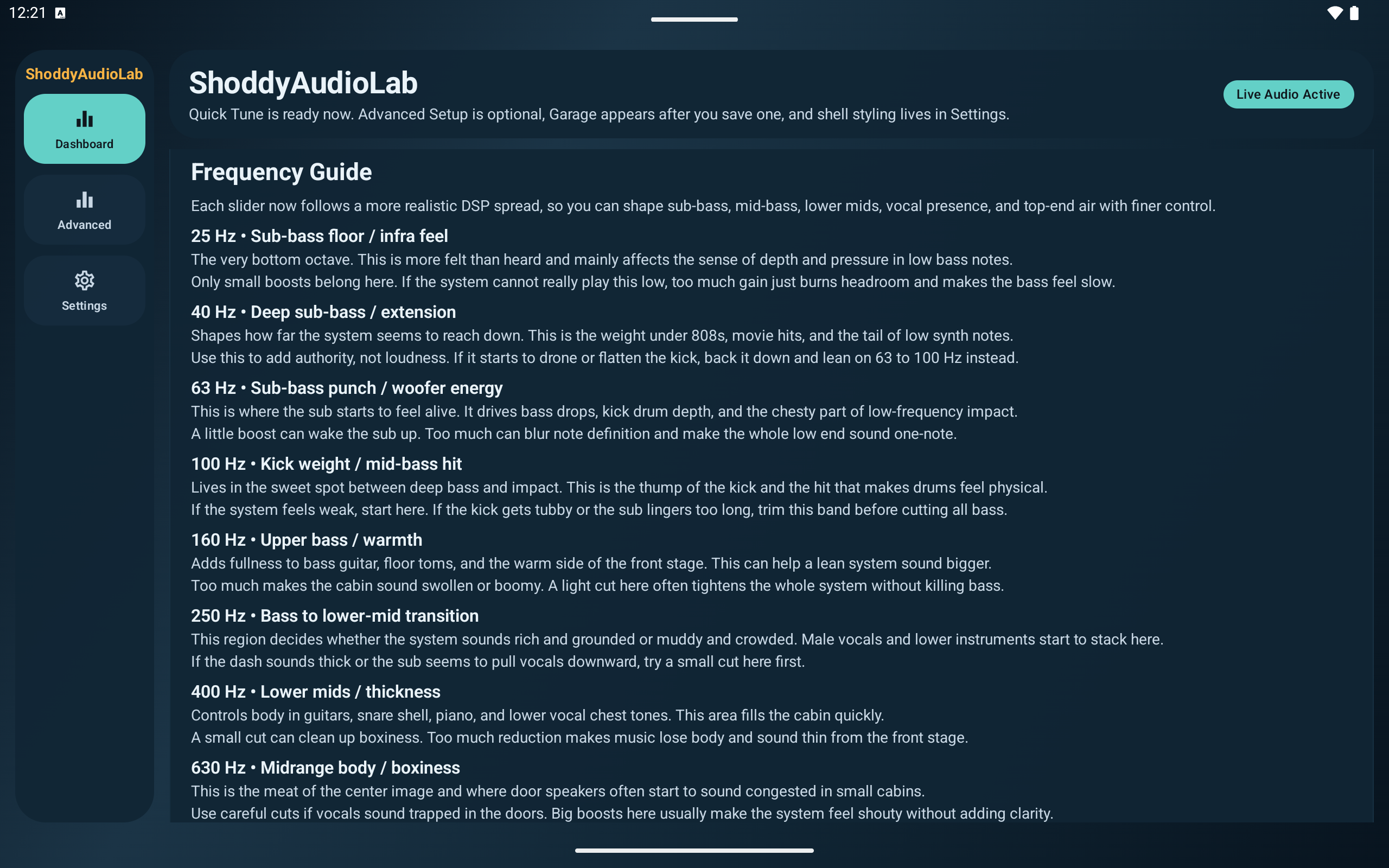
ShoddyAudioLab frequency guide screenshot

Frequency Guide explains what each band affects so Builder Mode stays readable and safer for intentional tuning changes.

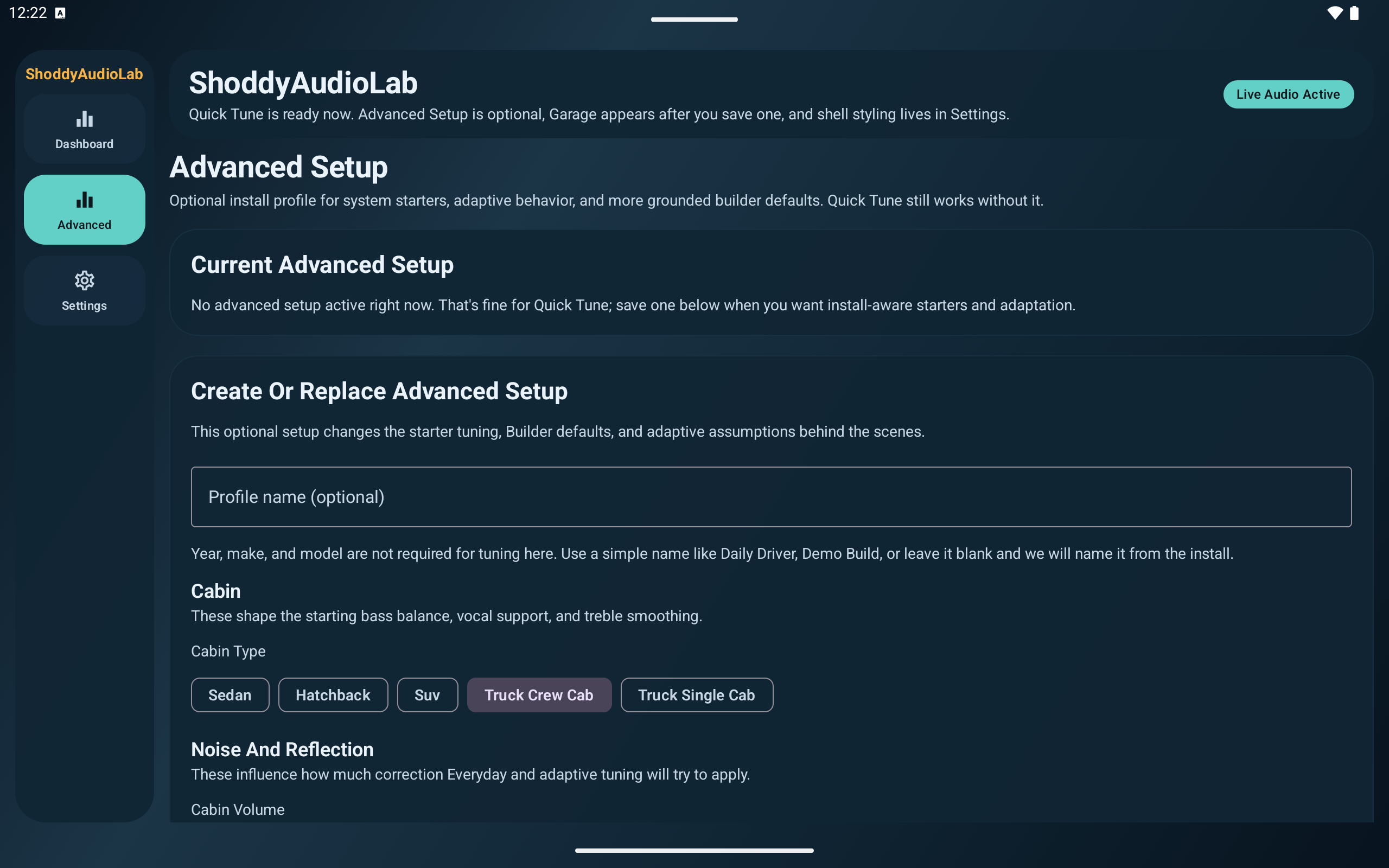
ShoddyAudioLab advanced setup screenshot

Advanced Setup starts with an optional install profile so Quick Tune can stay simple while deeper defaults remain grounded in the actual vehicle.

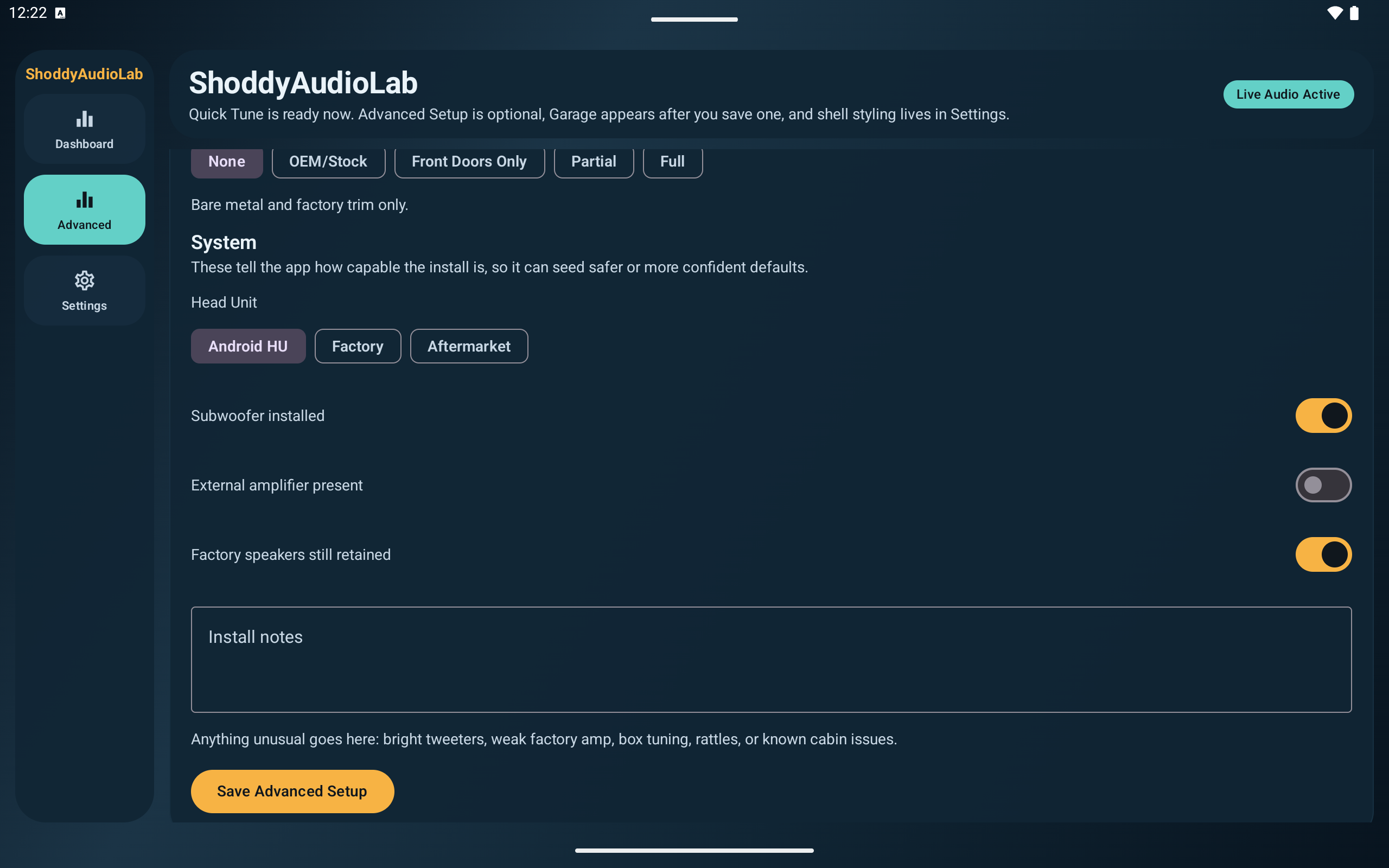
ShoddyAudioLab system setup screenshot

System setup covers cabin treatment, head-unit type, subwoofer and amplifier presence, and install notes for more realistic starter behavior.

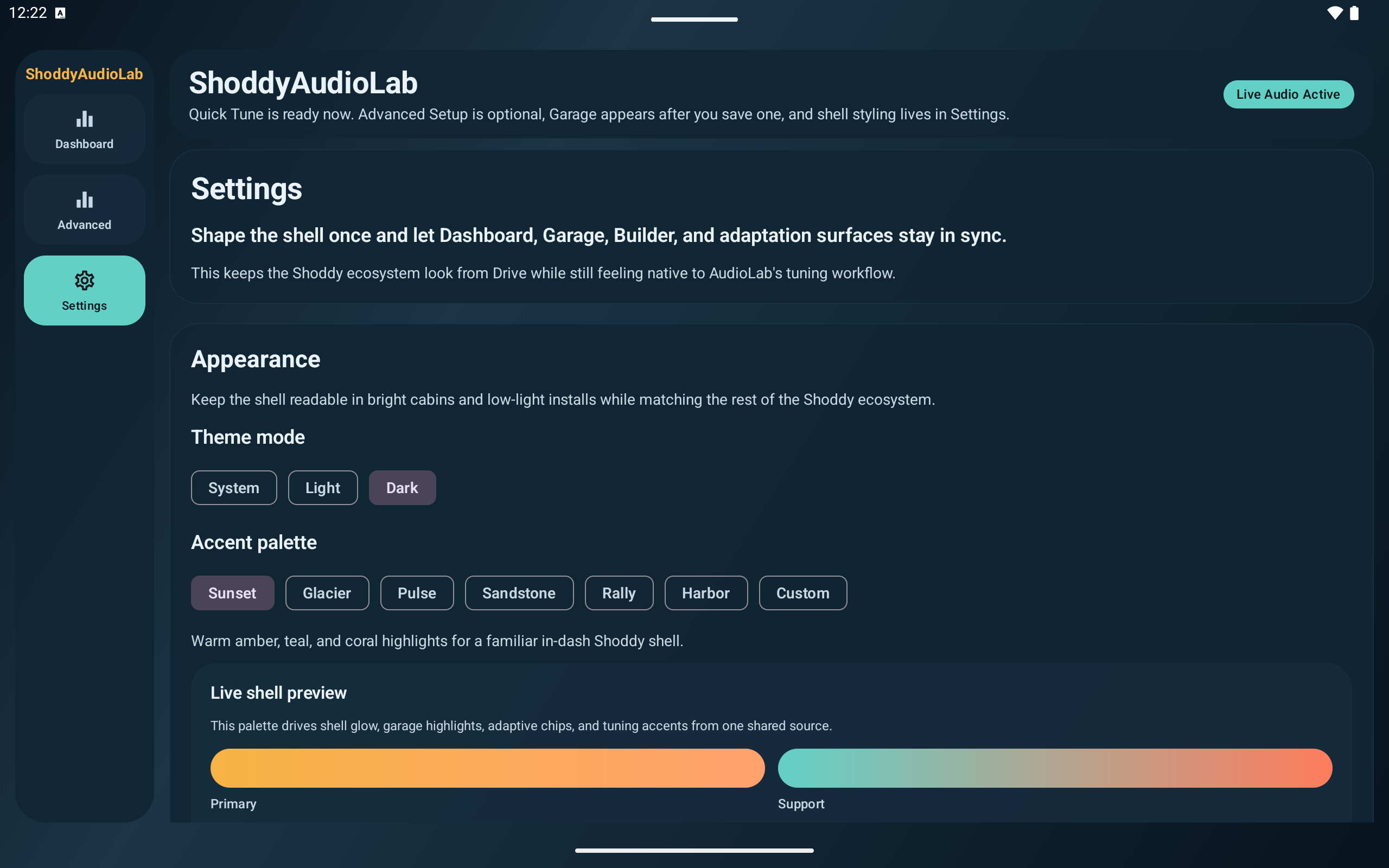
ShoddyAudioLab settings screenshot

Settings keep the shared Shoddy shell customizable with theme mode, accent palettes, and a live preview that carries across the AudioLab surfaces.

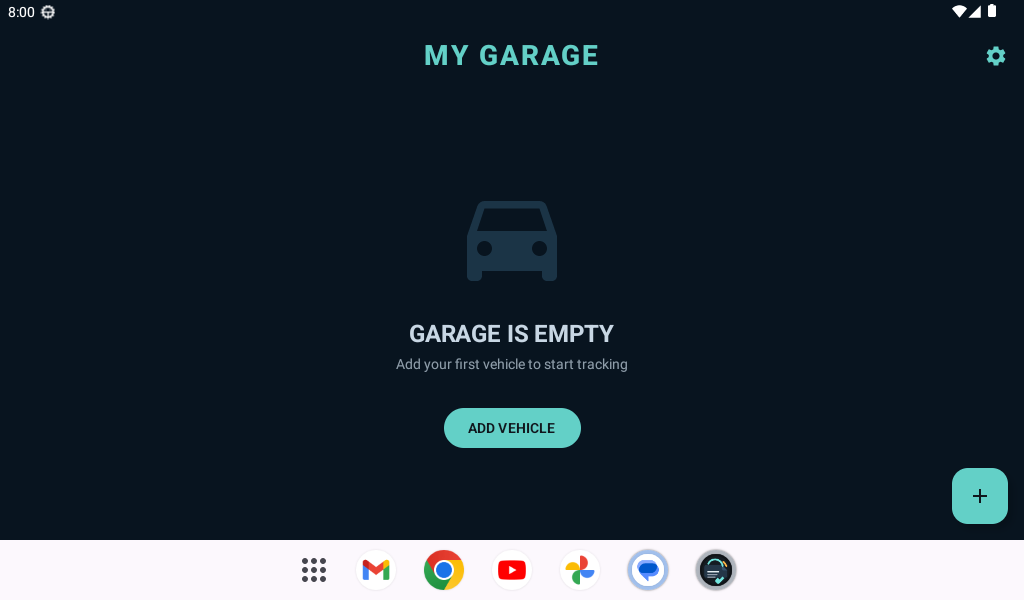
ShoddyMaintenance garage home screenshot

Garage home screen with a simple first-use state that pushes straight into adding a real vehicle instead of burying setup.

ShoddyMaintenance build setup screenshot

Build setup flow for factory, modified, engine-swapped, and chassis-swapped vehicles, plus maintenance model selection.

ShoddyMaintenance quick mods screenshot

Quick Mods entry with install dates and mileage fields that keep maintenance history connected to real hardware changes.

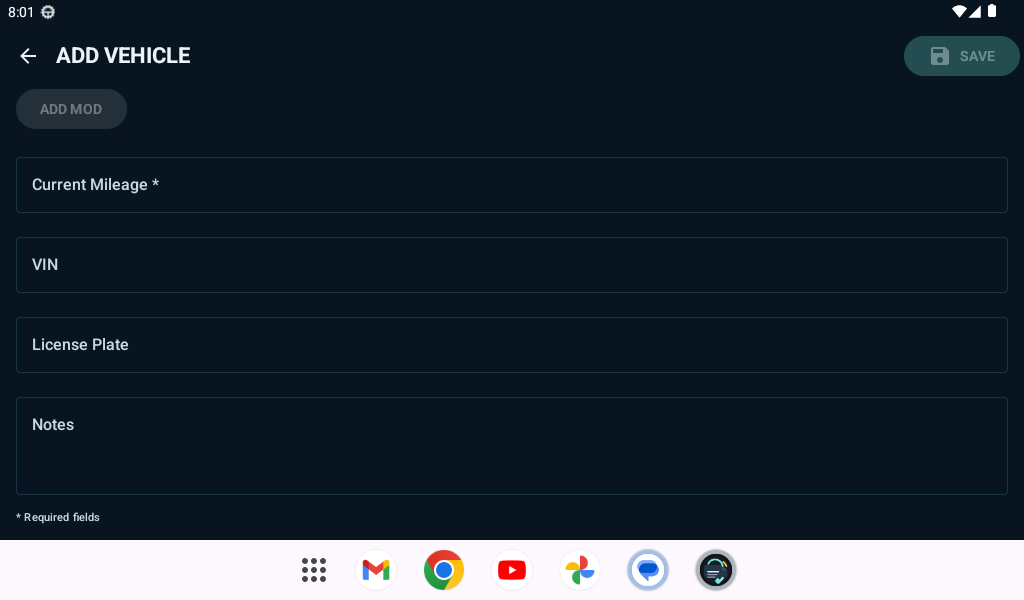
ShoddyMaintenance vehicle details screenshot

Vehicle details, VIN, plate, notes, and mileage fields for ownership records that stay useful after the initial setup.

Who the current platform serves

  • Daily drivers who want a cleaner in-car experience.
  • Android head-unit users dealing with odd hardware and screen sizes.
  • Builders (Vortec 4200 centric) who want telemetry, diagnostics, audio tuning, maintenance history, and future hardware expansion.

Want access to a track?

If one of these products already feels like the right fit, use the current testing path to request access. If you still need more detail first, the Dev Hub and update pages stay one click away.